 Universal Personal Finance
Your Finances. One Clear View.
Your spending, investments and documents in one place. It sorts your transactions for you, handles more than one currency, and turns everything into reports you can actually read.
Universal Finance is a personal finance app that keeps your whole financial life in one place. It tracks your day-to-day money, your valuables and your investments, and it stores your important papers — wills, policies and everything else that goes with sorting out your estate. And when you're ready, it grows into proper small-business accounting too: your customers, suppliers, invoicing, inventory and VAT. Here's a look at everything it does.
Dashboard
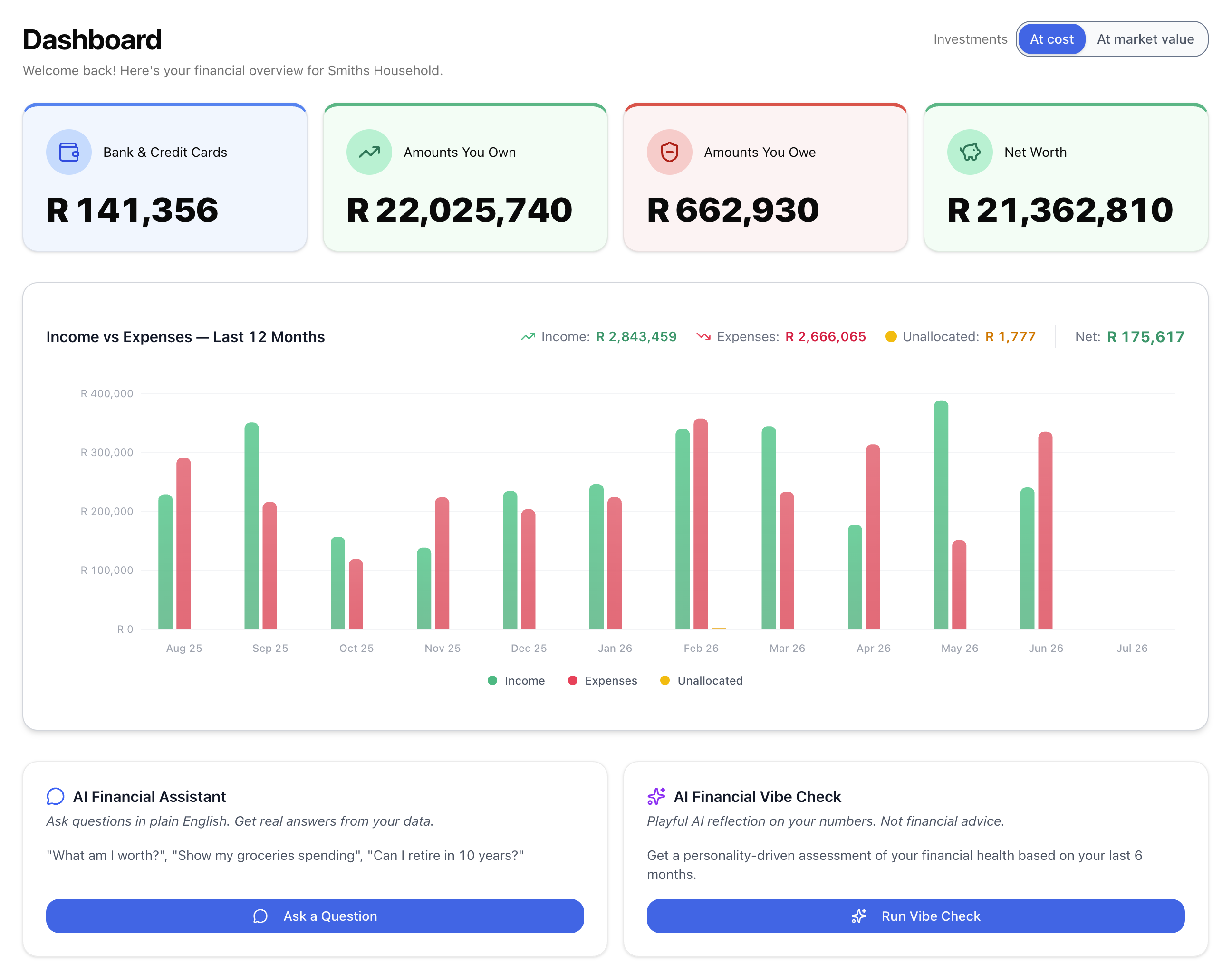
The first thing you see: what you own, what you owe and what you're worth right now. Every number comes straight from your own accounts and transactions. The AI explains them; it never makes them up.
💳 Four totals at the top
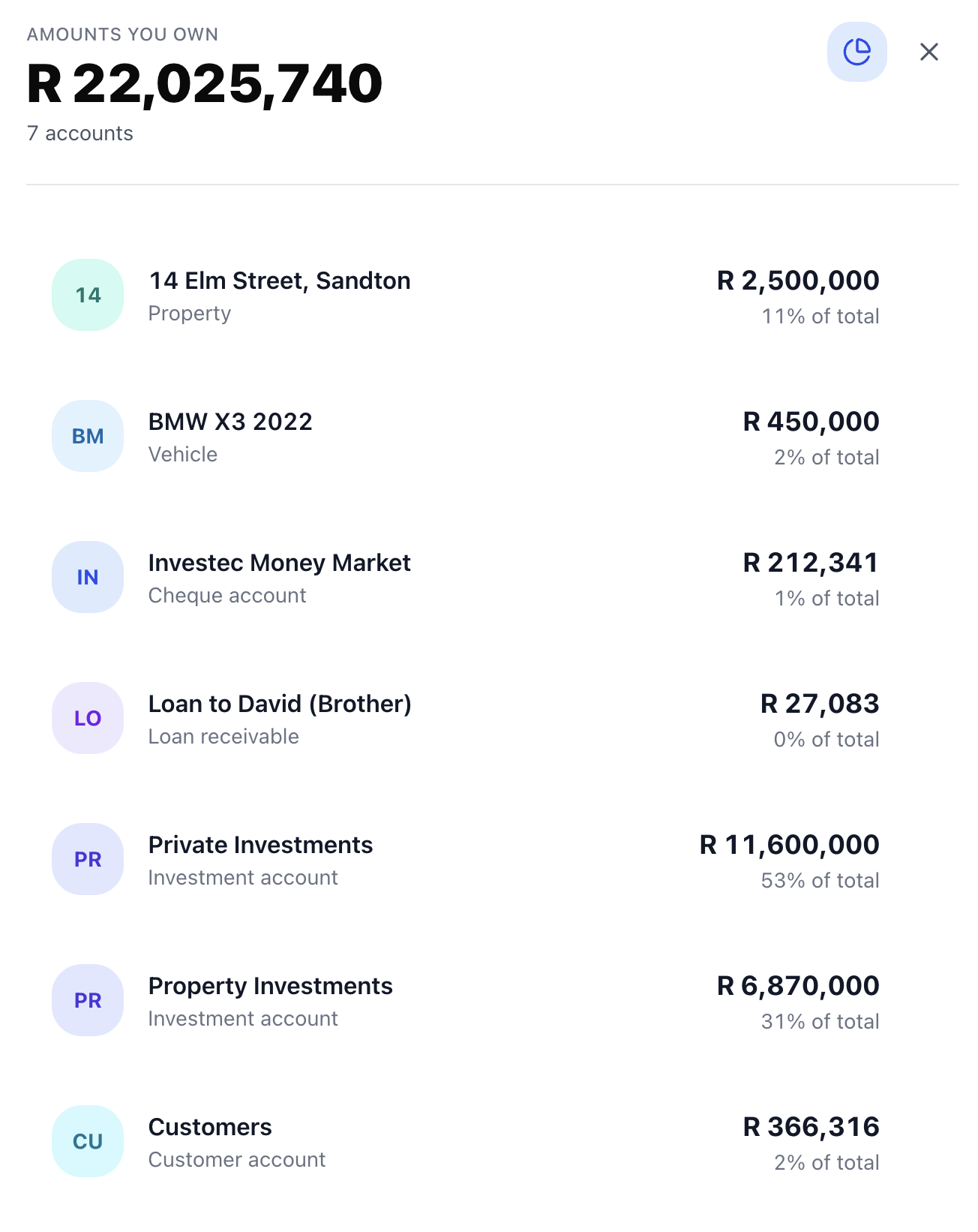
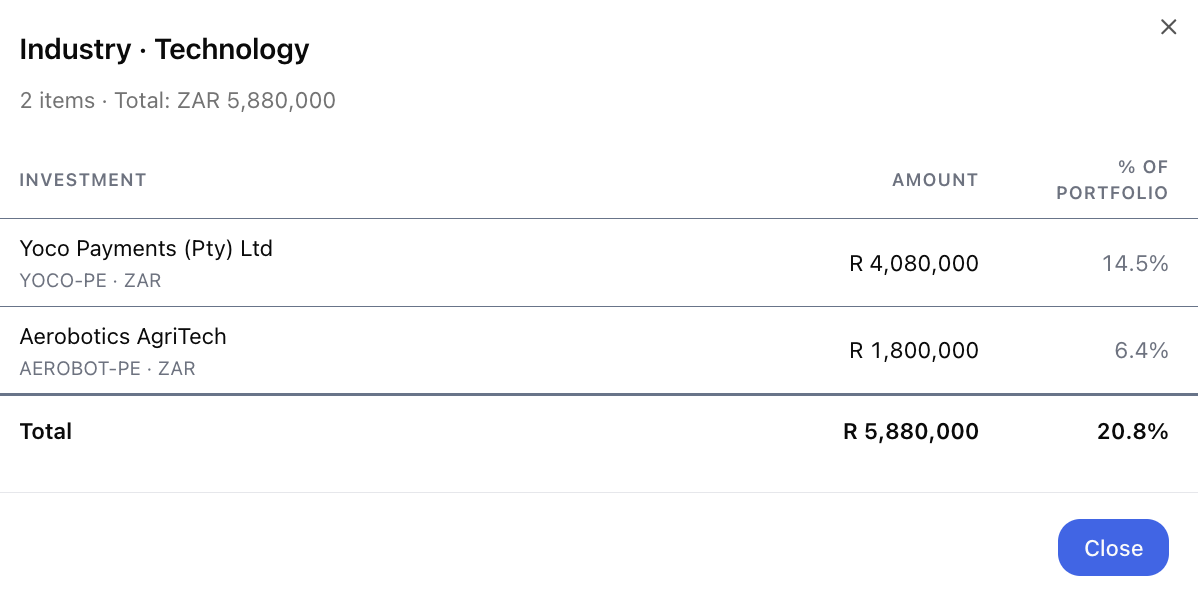
Bank & Credit Cards (cash on hand), Amounts You Own, Amounts You Owe and Net Worth. Click any of the first three to see exactly which accounts add up to that total.
📊 Income vs Expenses
A bar chart of the last 13 months of income and spending. Anything you haven't categorised yet gets its own bar, so you can see at a glance what still needs sorting.
🤖 AI Vibe Check
The AI Vibe Check gives you a light-hearted A–D health rating with the key numbers, a look at your retirement outlook, and where to focus next — all from your own figures, never made up.
📈 Show investments at market value
If you hold investments, one switch shows them at today's market value. By default Net Worth uses what you paid, and nothing is re-priced behind your back.
Accounts & Reconciliation
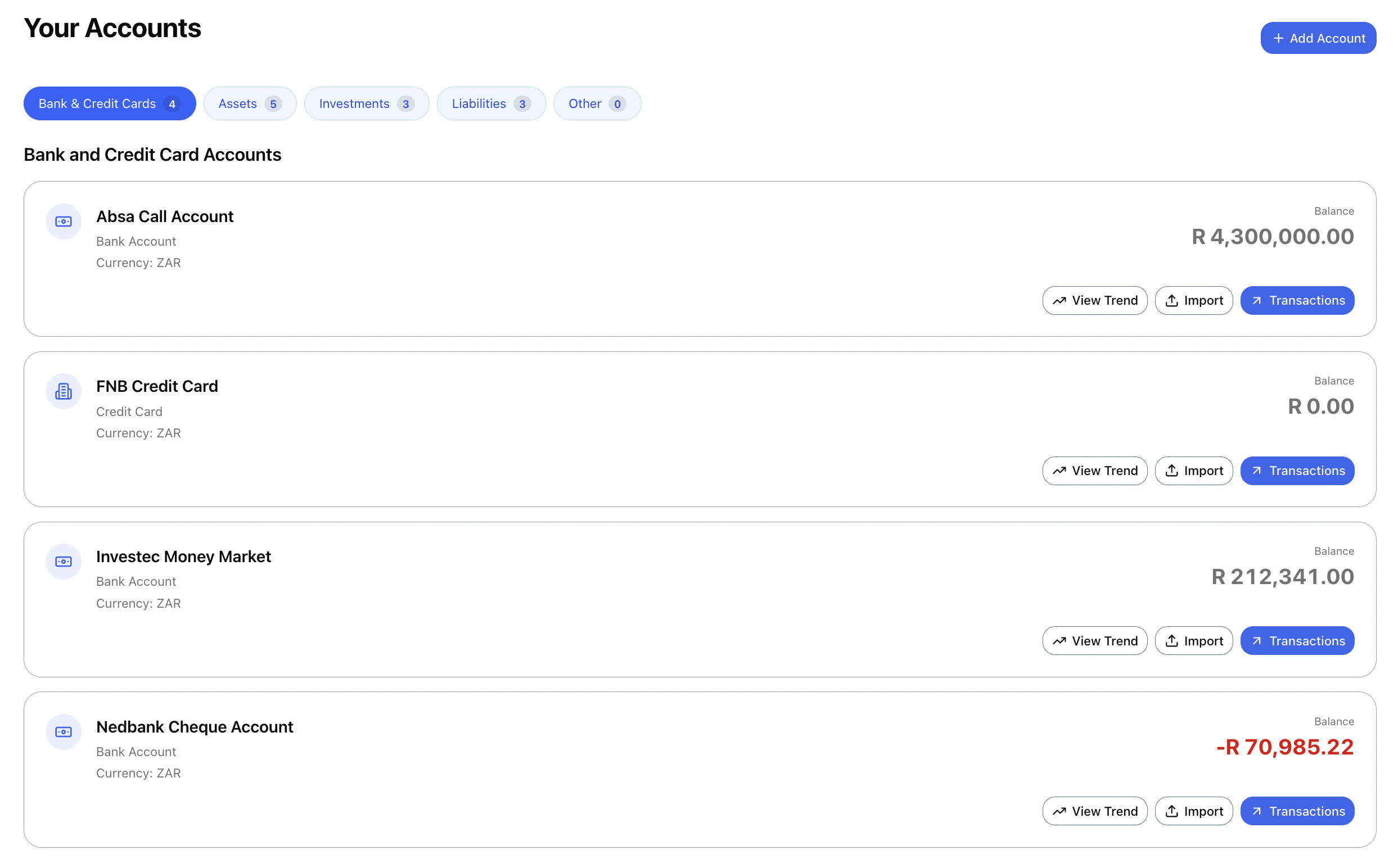
Every account with its current balance, sorted into tabs: Bank & Credit Cards, Assets, Investments, Liabilities and Other. Open any account to see its transactions. Investments open their portfolio instead.
🗂️ Sorted the way you'd expect
Credit cards sit with banks. Loans you owe go under Liabilities. Property, vehicles and loans owed to you go under Assets. The app also keeps a few bookkeeping accounts of its own — Customers, Suppliers, Inventory and VAT — and unless you switch invoicing on, it hides them so you only see the accounts you actually use.
✅ Reconcile to your bank statement
Pick an account, type in the balance from your statement, and tick off the transactions that have cleared. It keeps a running cleared balance and the difference as you go, and tells you when the two match.
Investments
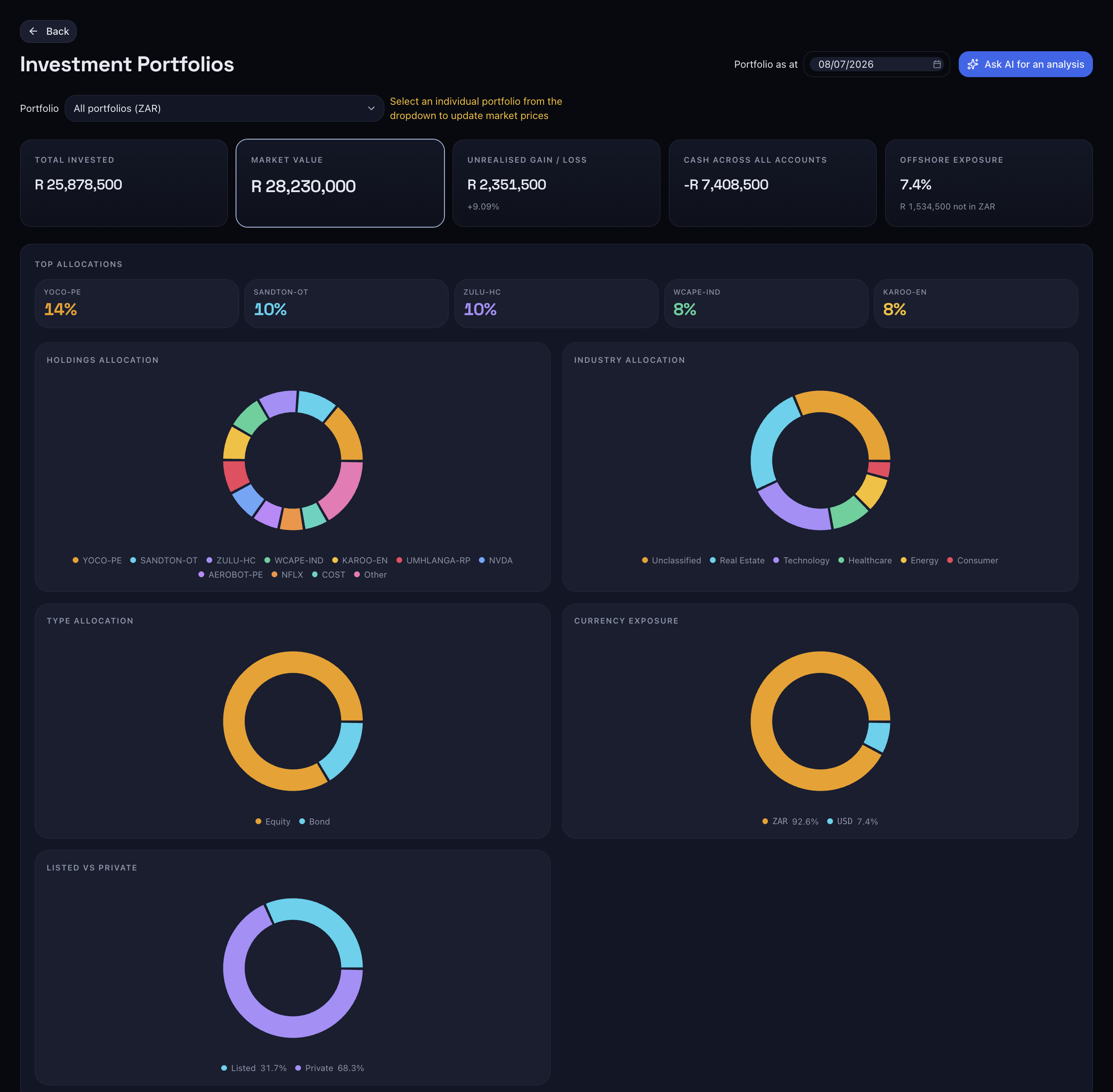
Keep track of portfolios at any broker. Record what you buy, sell and earn in dividends, keep prices up to date, and see your gains, both on paper and once you've sold. The numbers are worked out from your own transactions, so they always add up, even after you edit something.
💹 Always worked out fresh
Holdings, cost, market value, cash and gains aren't stored and left to go stale. They're worked out from your transactions and prices every time you open the screen. Pick a date to see where things stood at any point in the past.
🔎 Adding a holding is easy
Type a security's name and the AI finds its ticker, exchange and currency for you. Private or unlisted holdings work too, so nothing stops you adding what you own.
🌍 One portfolio or all of them
Look at a single portfolio, or all of them together in your home currency. Each portfolio is linked to your books, so money moving in and out shows up in your accounts automatically.
🚀 Getting started
The first-time setup brings your existing holdings in from a broker statement, a screenshot or a CSV.

Reports
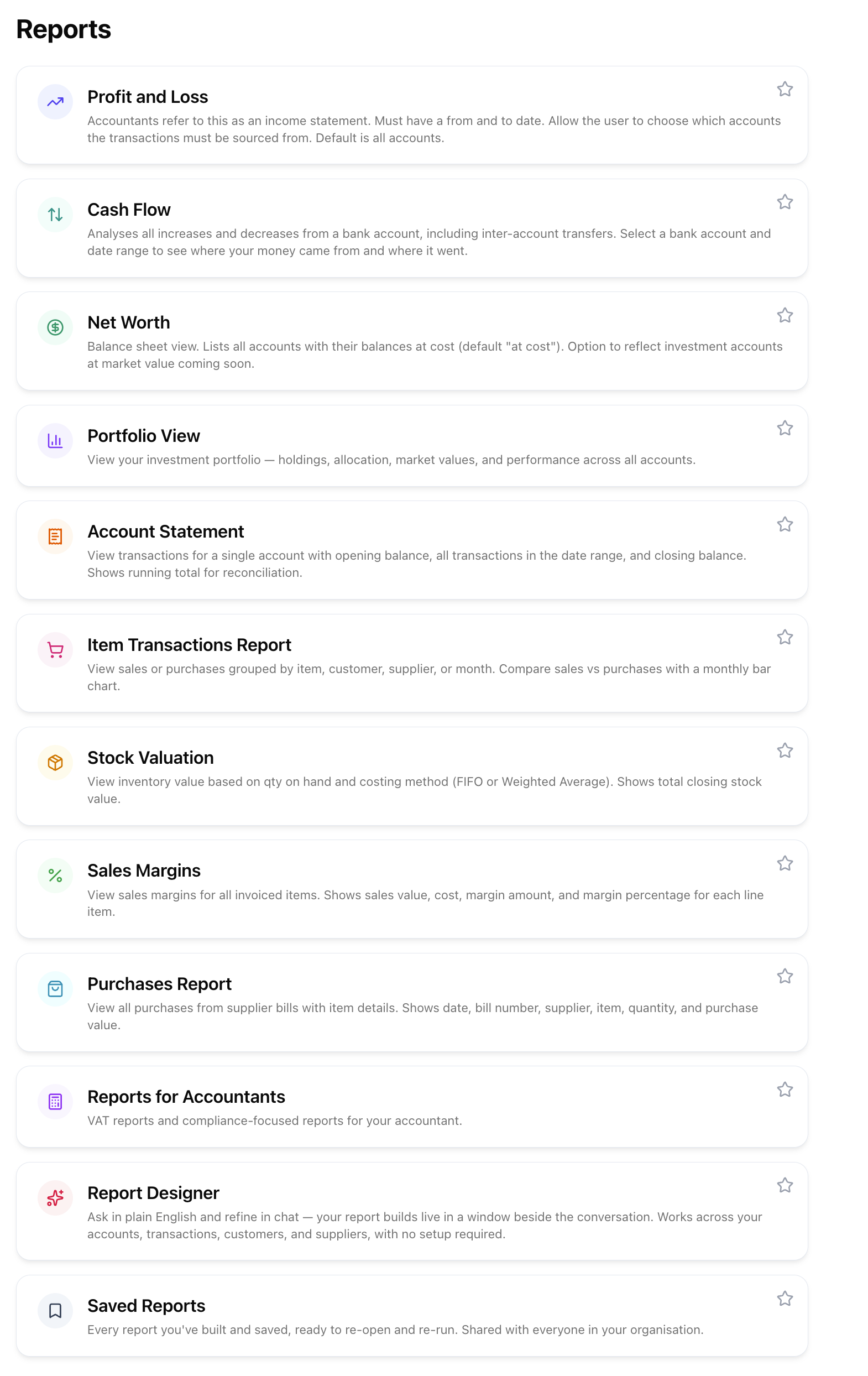
Profit & Loss, Cash Flow, Net Worth and Account Statement, plus a report builder you drive in plain English. Every report is built from the same set of books, so they always agree with each other.
📑 Profit and Loss
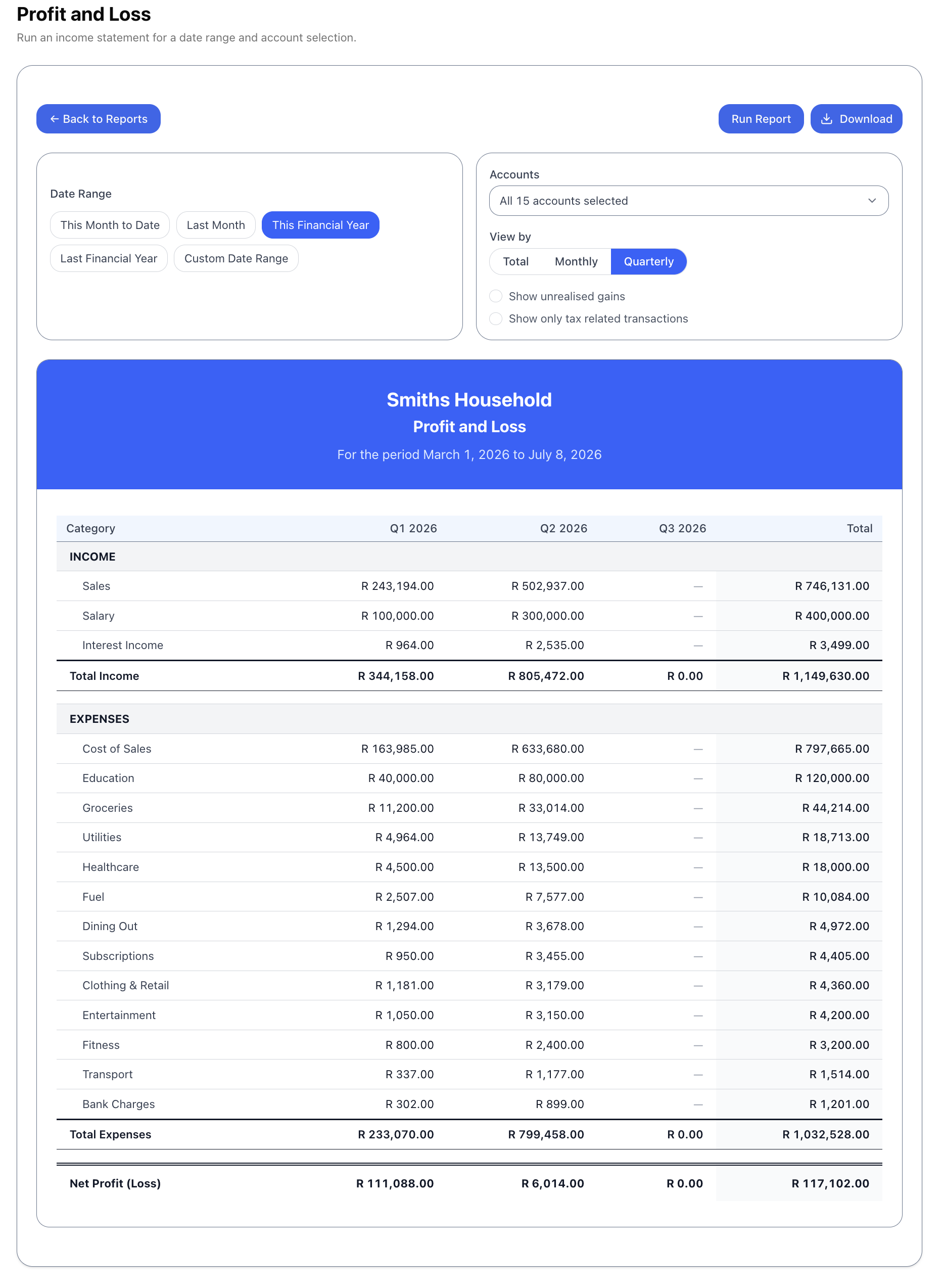
Your income and expenses by category, as a total or broken down month by month or quarter by quarter. It includes an Investing Activities section (dividends, fees, gains once you've sold) and an amber Unallocated line so nothing quietly goes missing. Click any figure to see the exact transactions behind it.
📤 Take it with you
Save any report as a CSV that opens cleanly in Excel, or as a tidy PDF. The date shortcuts use your own financial year, so “Last Financial Year” means your year-end, not the calendar's.
Document Safe
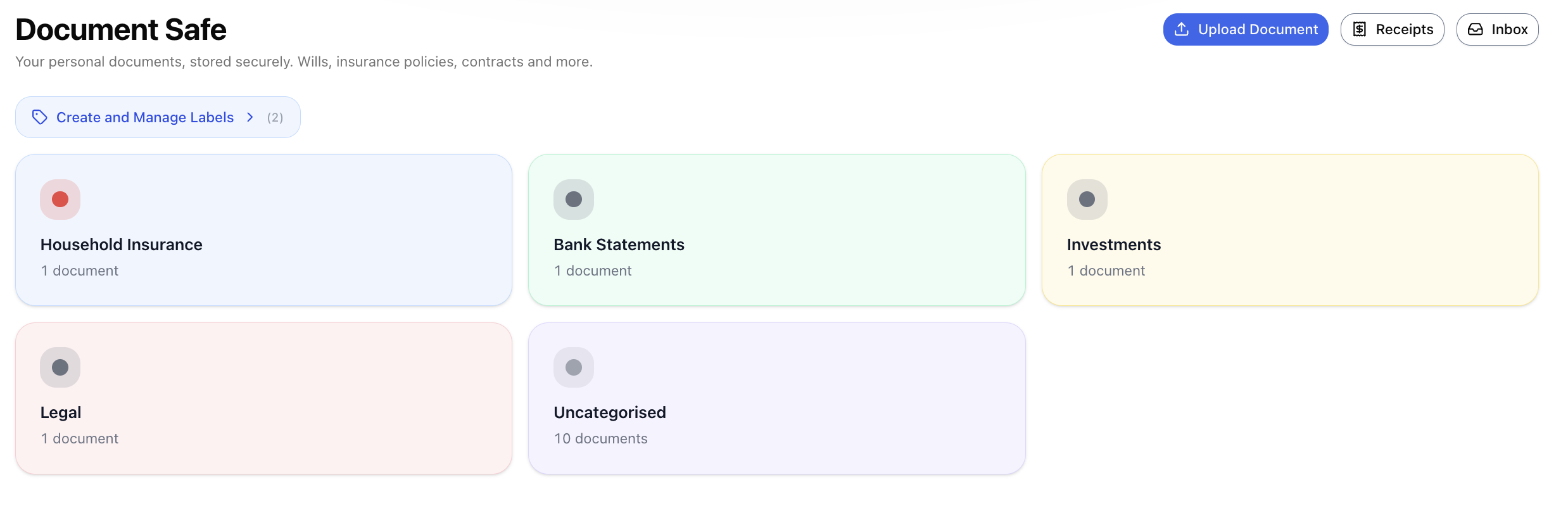
A safe place for your wills, policies, contracts, statements, property papers and certificates. Sort them under colour-coded labels, email them straight in, and let the AI read any of them back to you when you ask.
📬 Email documents straight in
Each household gets its own email address. Forward anything to it and every attachment lands in your Inbox. From there you save it to the Safe, or send a bank statement straight through to be imported.
🧾 Receipts that find their transaction
Snap a receipt on your phone and it waits in one place until your bank statement comes in, then attaches itself to the matching transaction.
✨ Read it with AI
One click gives you a short, plain summary of any document: what it is, who's involved, the key dates, what's covered and the amounts. It reads the figures back word for word rather than guessing, and it can read scanned documents too.
🏷️ Labels that suit you
Make your own labels or use the suggested ones (Insurance, Wills & Estate, Tax, Property…). A few set labels keep your insurance and valuables paperwork where the coverage check can find it.
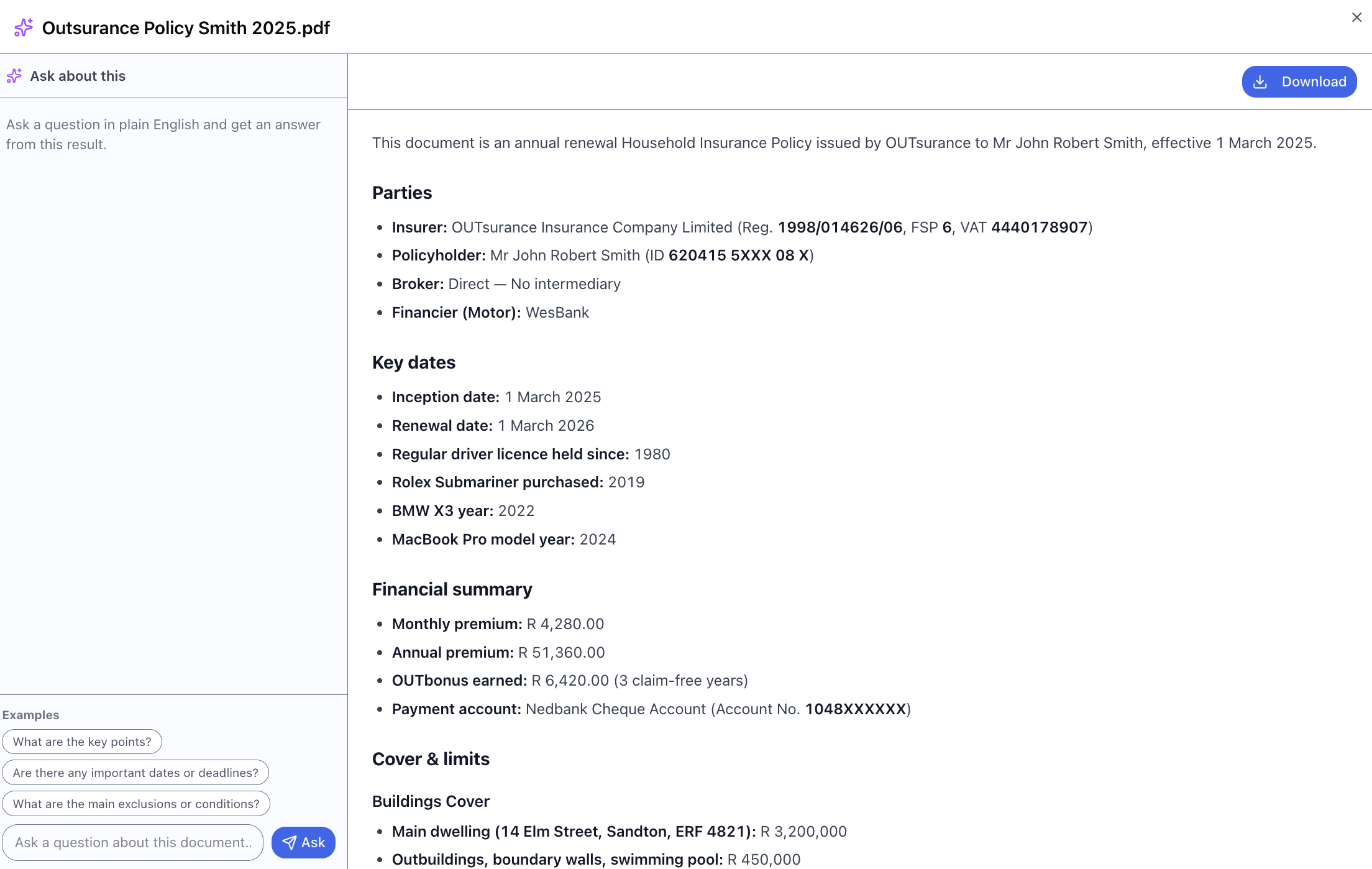
Valuables & Insurance
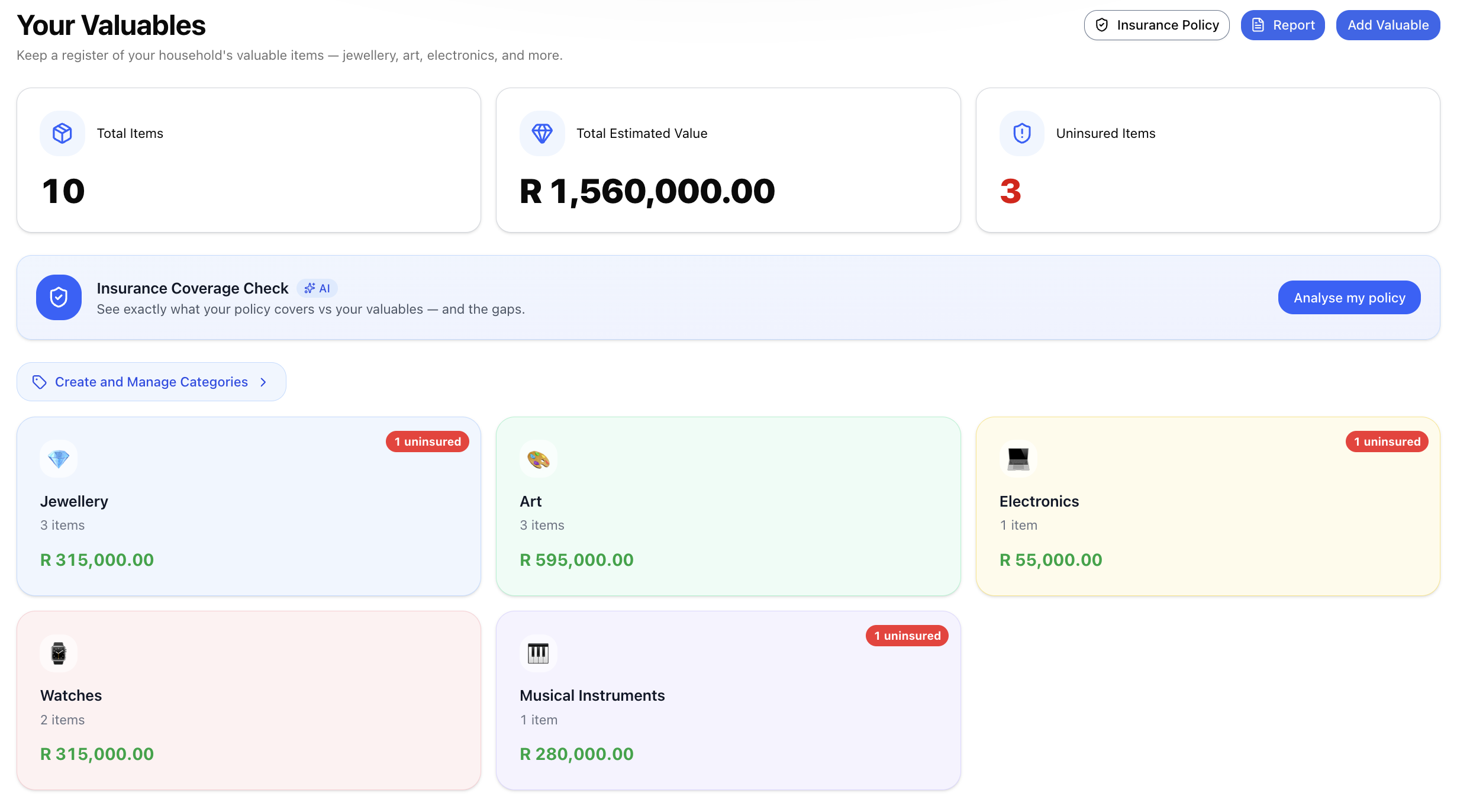
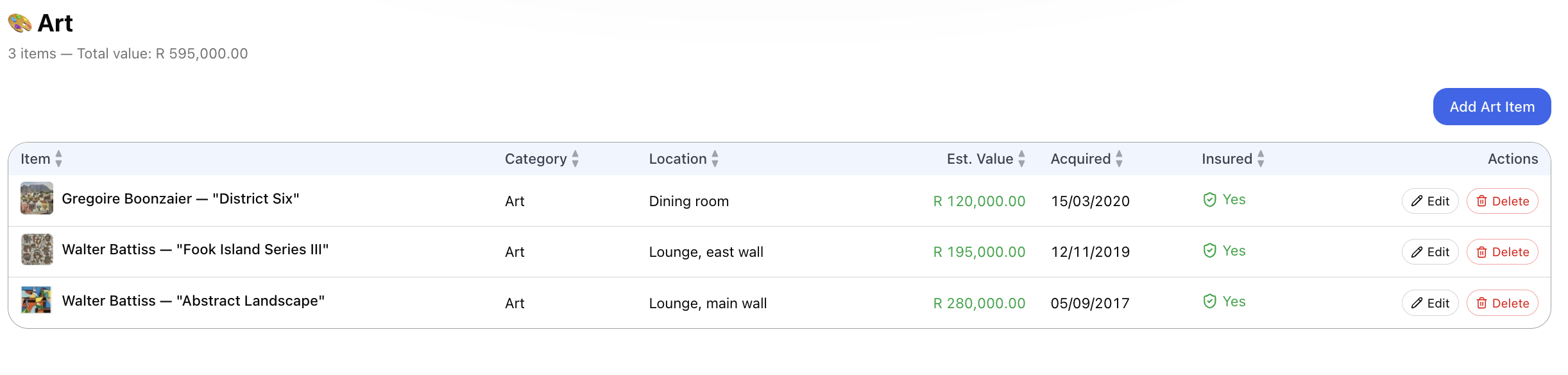
A list of the valuable things in your home — jewellery, art, electronics, watches — with photos, receipts, what they're worth and whether they're insured. The AI coverage check then compares your list against your actual policy.
💎 Everything in one list
Group your things by type — Jewellery, Art, Electronics, Collectibles, Watches, or your own groups — each showing how many items, what they're worth together, and a red flag on anything not insured. Add photos and receipts and they file themselves into your Document Safe.
🛡️ Coverage check & broker email
Link your items to a real insurance policy and the AI checks your list against the policy in your Safe. You can then email the list straight to the right broker.
Run a business too? Switch it on here.
Everything so far works on its own. Plenty of people use Universal Finance just for their personal money and never need more. But if you also run a small business, or start one, you don't need a second app. Switch your household to business mode and proper small-business accounting appears alongside your personal side: customers and invoicing, supplier bills and purchase orders, inventory, and VAT, all feeding the same books. Leave it switched off and none of it gets in your way.
🧾 VAT, built in
Not an add-on. Your VAT details and rates live in Settings, invoices and bills work out the VAT line by line, the app keeps a running total of what you owe, and the VAT reports your accountant needs are ready in the Reports area. Not VAT-registered? You'll never see any of it.
📚 Real bookkeeping underneath
Every invoice, bill and payment is written into proper double-entry accounts for you. So your Profit & Loss, cash flow and net worth always tell the full story, and your accountant gets figures that add up.
Customers & Sales Documents
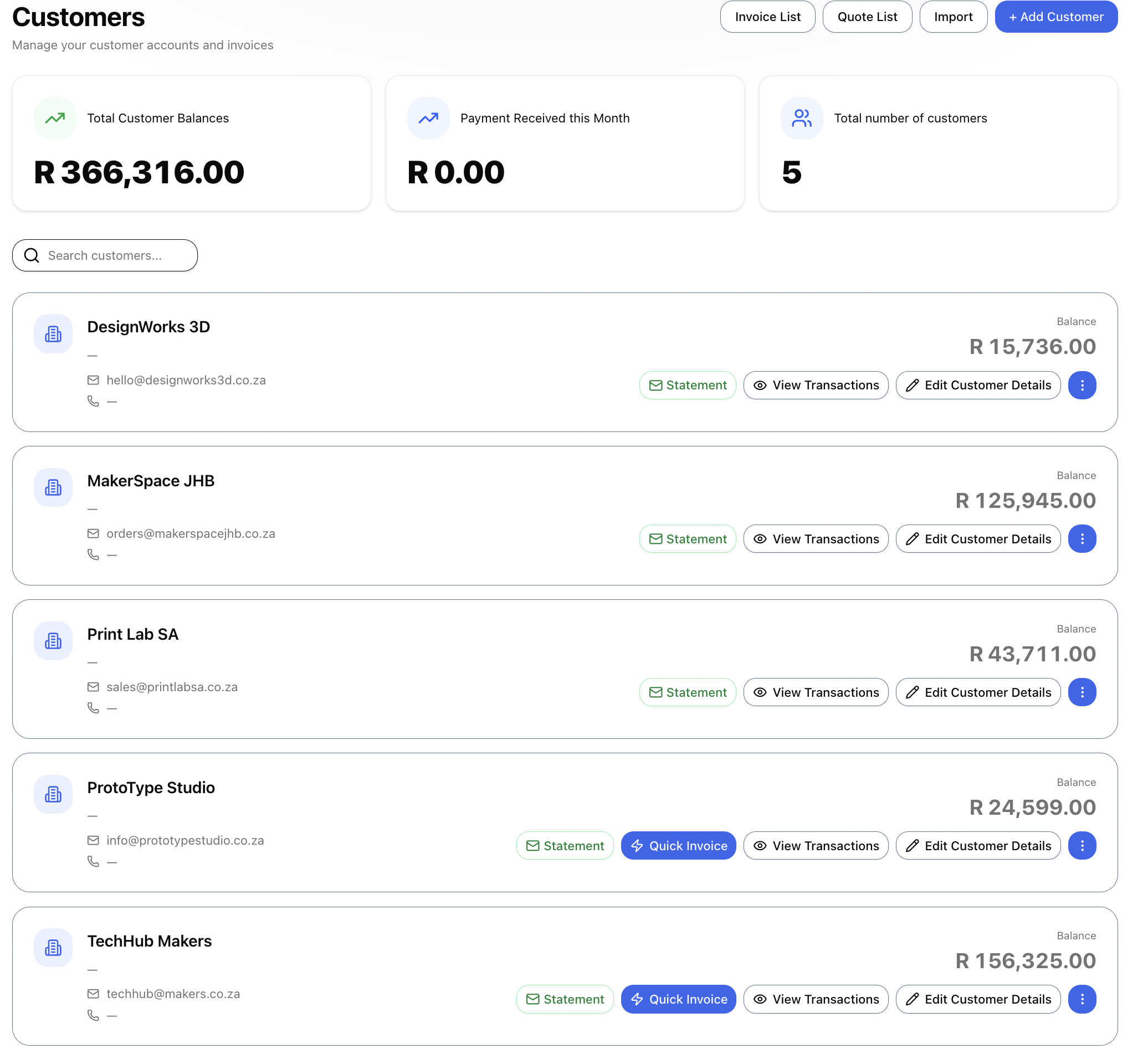
The whole customer side of your business: customer records, invoices, quotes, credit notes, monthly statements, receipts and payments. Every one of these goes into your books to the cent, so balances, statements and reports always match. It's part of business mode, so personal-only households never see it.
👥 See who owes you at a glance
A total at the top shows what your customers owe. Click it to show only the ones who still owe you. Search by name, email, mobile or address as you type. Each customer gives you their statement, their transactions, an edit button and a Quick Invoice shortcut.
⚡ Quick Invoice
Save a template per customer and send their regular invoice in a few clicks.
🧾 The full flow
Accept a quote and it becomes an invoice. Credit notes put returned goods back into stock. Statements run per customer for any period, ready to download or email. Opening balances behave like invoices, so the history and the totals stay right.
🏷️ Your details, your fields
Your business name, banking and registration details on every document, plus up to six fields of your own (membership numbers, medical aid, PO numbers…).
Suppliers & Purchase Documents
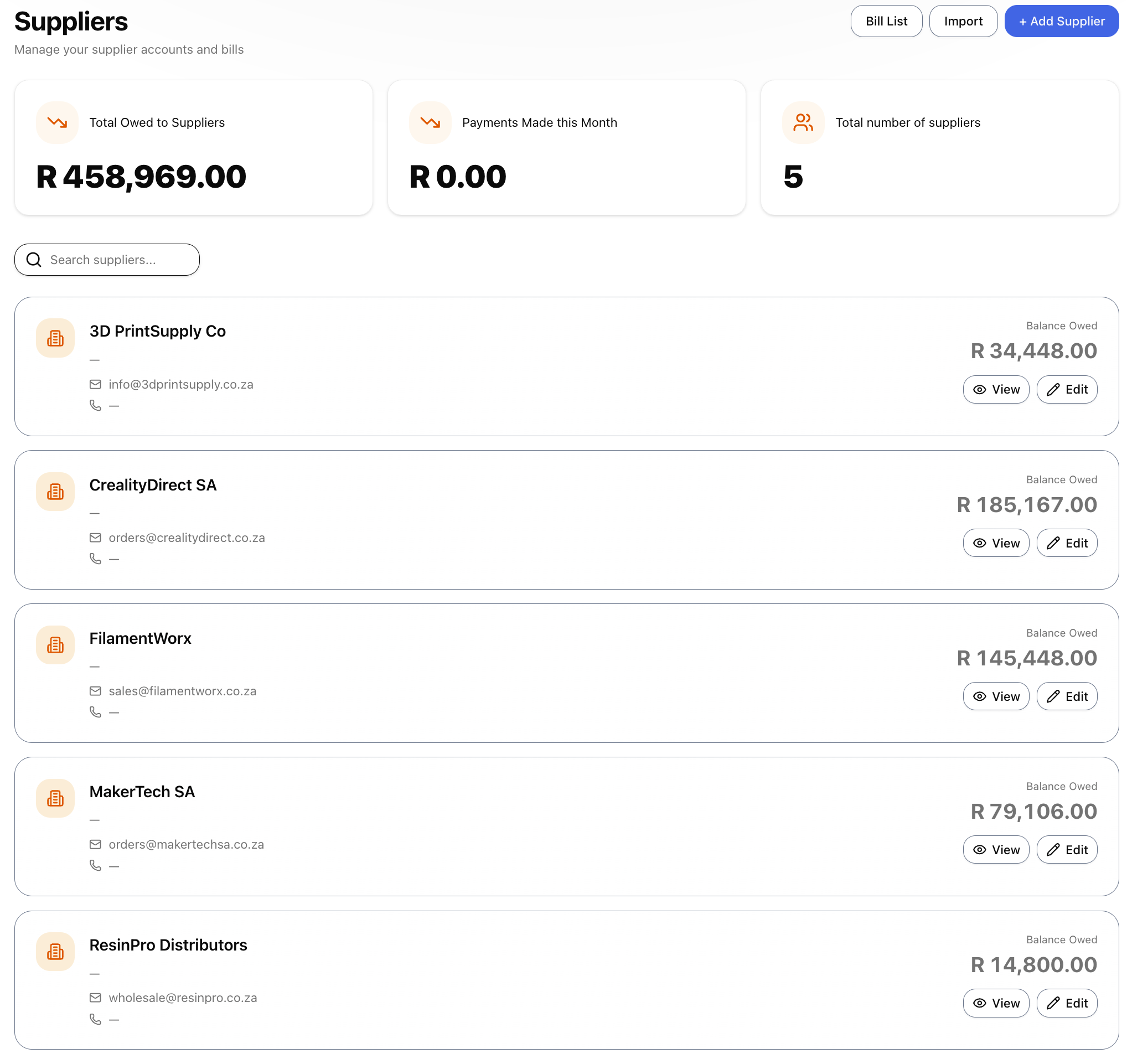
Everything you buy: supplier accounts, bills (BILL-0001…), purchase orders (PO-0001…), supplier returns (DN-0001…) and payments. Each has its own numbering, and every supplier gets a full account and statement. Another business-mode feature, hidden until you switch it on.
🏢 Suppliers vs payees
A Supplier is a business you keep an account with, so it has a balance, bills and a statement. A Payee is just a name for everyday spending. Keeping them apart keeps your books clear.
📦 Returns handled properly
Returning goods to a supplier reverses the bill and takes those items back out of stock at cost. You can send a purchase order to a supplier with a link, then turn it into a bill when the goods arrive.
Items & Inventory
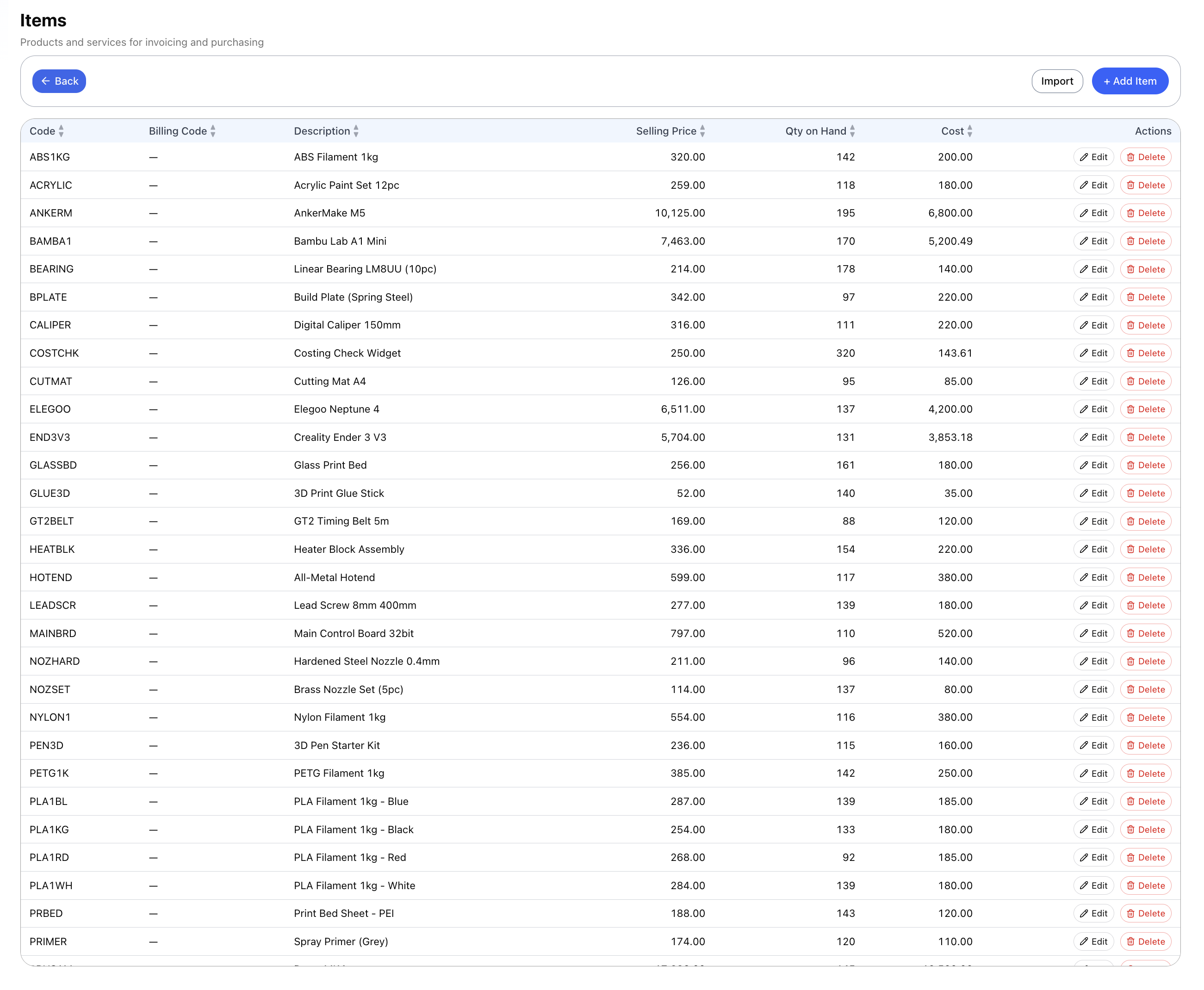
The products and services you put on invoices and bills, with proper stock tracking behind them. Every purchase, sale and return moves stock, so how much you have and what it cost always come from what actually happened, not a number you typed once and forgot. Part of business mode, for anyone who sells or holds stock.
🧮 Cost is worked out, not typed
An item's cost always reflects what you've actually paid over time. Buy the same item again at a different price and its average cost moves with it.
📊 See your margins
The Sales Margins report shows the value, cost, margin and margin % on every line you've invoiced. Stock Valuation shows what your stock is worth, using the costing method you chose.
Also in the product
On top of the screens above, here's the rest of what you get for the day-to-day.